Top fixes
Hyundai Ioniq 5 top fixes: how owners handle the common issues
Practical fixes for the common Hyundai Ioniq 5 faults owners run into.
Updated 4th September 2026 DVSA data: Across 8,313 recorded MOT tests, 6.6% failed.
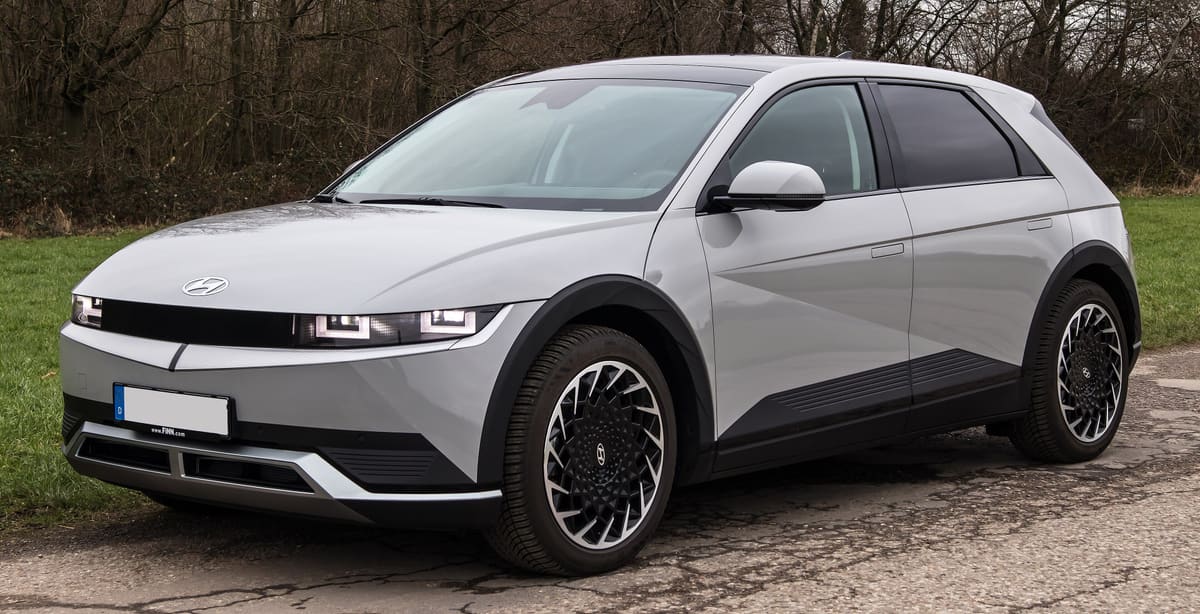
The Hyundai Ioniq 5 is a popular electric vehicle, but like any car, it can experience issues. Common problems include software glitches, battery management concerns, and charging difficulties. Fortunately, many of these issues have practical fixes that can enhance the ownership experience.
Software Glitches
One of the most frequently reported issues with the Hyundai Ioniq 5 is software glitches that can affect various systems, including infotainment and navigation. Owners may experience unresponsive screens or unexpected resets.
To address software glitches, ensure that your vehicle’s software is up to date. Hyundai regularly releases updates that can resolve these issues. You can check for updates through the vehicle’s settings or by visiting your local dealership. If the problem persists, a factory reset of the infotainment system may help restore functionality.
Additionally, disconnecting the vehicle’s battery for a short period can sometimes reset the system and clear minor glitches. However, this should be done with caution and ideally by a professional to avoid any unintended consequences.
Battery Management Issues
Battery management is crucial for electric vehicles, and some Ioniq 5 owners have reported concerns regarding battery performance and range. These issues can stem from improper charging habits or software settings.
To improve battery management, follow recommended charging practices. Avoid letting the battery level drop below 20% and try to charge it to around 80% for daily use. This can help prolong battery life. Additionally, using a dedicated home charger can ensure optimal charging conditions.
If you notice significant drops in range, consider visiting a Hyundai service centre for a battery health check. They can assess the battery’s condition and update the vehicle’s software to improve performance.
Charging Difficulties
Some Ioniq 5 owners have experienced difficulties when charging their vehicles, including slow charging times or failure to connect to charging stations. These issues can be frustrating, especially for those relying on public charging infrastructure.
To mitigate charging difficulties, first, ensure that your charging cable and connectors are clean and free from debris. Dirty connectors can lead to poor connections and slow charging. If you’re using a public charging station, try different chargers, as compatibility can vary.
If problems persist, it may be worth checking the vehicle’s charging settings. Ensure that the charging mode is set correctly for the type of charger you are using. For more persistent issues, a visit to a Hyundai dealership may be necessary to diagnose any underlying problems with the vehicle’s charging system.
Tyre Wear and Alignment
Uneven tyre wear and alignment issues are common concerns for many vehicle owners, including those with the Hyundai Ioniq 5. These problems can lead to decreased performance and safety risks if not addressed promptly.
Regularly inspect your tyres for uneven wear patterns, which can indicate alignment issues. If you notice any irregularities, have your vehicle’s alignment checked by a professional. Proper alignment can improve handling and extend tyre life.
Additionally, ensure that your tyres are inflated to the recommended pressure. Under-inflated tyres can wear out more quickly and affect the vehicle’s range. Regular rotation of the tyres can also help maintain even wear and prolong their lifespan.
Interior Quality and Noise
Some owners have reported concerns regarding the interior quality of the Hyundai Ioniq 5, including noise levels and material durability. While the vehicle is generally well-regarded, addressing these issues can enhance overall comfort.
To mitigate noise, consider adding sound-deadening materials to the doors and floor. This can help reduce road noise and create a quieter cabin environment. Additionally, ensure that all panels and trims are securely fastened, as loose components can contribute to rattling sounds.
For concerns about material durability, regular cleaning and maintenance can help preserve the interior. Use appropriate cleaning products for the materials used in the cabin to avoid damage. If you notice any significant wear, consult your dealer for potential warranty coverage or replacement options.
Regenerative Braking Performance
The Ioniq 5 features regenerative braking, which can sometimes lead to a less responsive feel compared to traditional braking systems. Some owners have expressed concerns about the effectiveness of regenerative braking in various driving conditions.
To optimise regenerative braking performance, adjust the settings through the vehicle’s interface. The Ioniq 5 allows drivers to customise the level of regenerative braking, which can enhance the driving experience. Experimenting with these settings can help you find a balance that suits your driving style.
If you find that regenerative braking is not functioning as expected, it may be worth having the braking system inspected. A professional can check for any faults or software updates that could improve performance. Regular maintenance of the braking system is essential for safety and efficiency.
Hyundai Ioniq 5 recall record
5 recalls have been issued for the Hyundai Ioniq 5, between 2022 and 2026.
Some vehicles may have an instrument cluster operational concern whilst driving the vehicle
R/2026/146Issued 2 April 2026
Some vehicles may face a concern where the instrument cluster panel may reboot during vehicle operation potentially resulting in a blank instrument cluster display screen.
Remedy:To correct this an ‘Over the Air ‘ software update to the vehicles will be deployed remotely.
Affects cars built Jul 2025 to Nov 2025
The rear inner driveshaft may develop noise resulting in a loss of drive
R/2024/169Issued 13 May 2024
On affected vehicles the rear inner driveshaft may develop noise resulting in a loss of drive.
Remedy:On all affected vehicles replace the affected driveshaft and check properly fastened
Affects cars built Jan 2023 to Feb 2023
The Integrated Charging Control Unit (ICCU) may become defective and stop charging the 12-volt battery which can result in the vehicle entering into a ‘failsafe’ driving mode.
R/2024/164Issued 6 May 2024
On affected vehicles the Integrated Charging Control Unit (ICCU) may be come defective and stop charging the 12volt battery this can result in the vehicle entering a failsafe driving mode
Remedy:On all affected vehicles update the ICCU software and check and replace if necessary the ICCU and fuse.
Affects cars built Jan 2021 to Feb 2024
The vehicle identification number label may not have the correct maximum permissible laden mass printed on the VIN label.
R/2023/041Issued 13 March 2023
The vehicle identification number label may not have the correct maximum permissible laden mass printed on the VIN label.
Remedy:Replace the vehicle identification number label with an amended VIN label.
Affects cars built Jul 2022 to Nov 2022
1 older recall not shown.
A recall applies to a build range, not to every car of this model. Check a registration to see whether one specific vehicle has an outstanding recall.
Hyundai Ioniq 5 MOT record
From 8,313 recorded MOT tests, 6.6% failed.
| Registered | Tests | Failed | Median mileage |
|---|---|---|---|
| 2023 | 297 | 6.1% | 37,363 mi |
| 2022 | 5,852 | 6.7% | 29,408 mi |
| 2021 | 2,164 | 6.5% | 35,240 mi |
Most common reasons for failure
- A tyre seriously damaged39.8%
- Tyre tread depth not in accordance with the requirements27.3%
- Wiper blade missing or obviously not clearing the windscreen21.2%
- A tyre cords visible or damaged7.9%
- Defect 100013.8%
Figures cover every Hyundai Ioniq 5 tested in the DVSA dataset, not this specific car. Check a registration for the actual history of one vehicle.
Hyundai Ioniq 5 official figures
Median across 43 variants on sale, electricity.
- Electric range
- 296 miles
- Manufacturer WLTP figure
Official figures for new cars. Real economy varies with driving, load and conditions.
Frequently asked questions
What common issues should I look for in a Hyundai Ioniq 5?
Common issues may include battery performance, software glitches, and charging problems. It's advisable to check for any recalls or updates from Hyundai.
How can I fix a charging problem with my Hyundai Ioniq 5?
First, ensure that the charging cable and port are clean and undamaged. If the problem persists, consider checking the home charging unit or visiting a Hyundai service centre.
Is there a warranty for repairs on the Hyundai Ioniq 5?
Yes, the Hyundai Ioniq 5 typically comes with a manufacturer's warranty that covers certain repairs. Check your warranty documentation for specific details on coverage.
What should I do if my Hyundai Ioniq 5 has software issues?
If you experience software issues, try performing a system reset or updating the vehicle's software through the Hyundai app. If problems continue, contact your local dealer for assistance.
Are there any recalls for the Hyundai Ioniq 5?
Recalls are issued against individual vehicles rather than a model as a whole, so a model-level yes or no would be guesswork. Enter the registration on Honest Car Check and we check the DVSA record for that specific car. Where DVSA holds no status, confirm it with a franchised dealer using the VIN.
How can I maintain my Hyundai Ioniq 5 to prevent issues?
Regular maintenance, such as software updates and battery checks, can help prevent issues. Follow the manufacturer's service schedule and keep an eye on any warning lights.
What should I do if my Ioniq 5's range is significantly reduced?
If you notice a significant drop in range, check for any active energy-draining features and ensure your tyres are properly inflated. If the issue persists, consult a Hyundai technician.
Can I perform my own repairs on the Hyundai Ioniq 5?
While some minor maintenance tasks can be done at home, it is recommended to have major repairs carried out by a qualified technician to ensure safety and warranty compliance.
Sources
- DVSA anonymised MOT tests and results (Open Government Licence v3.0)
- VCA new car fuel consumption and emissions data (Open Government Licence v3.0)
- DVSA vehicle safety recalls (Open Government Licence v3.0)